Book formatting for every author
Your Word file in. A finished book out.
Upload the file you wrote your book in. Minutes later it’s a print‑ready paperback, a Kindle ebook and both covers, with every page checked against Amazon’s rules. Then make it yours: see it side by side with your Word file, edit any word, try a new look in one click. All for £29.99.
Free to upload, check and change. £29.99 including UK VAT, once, when you take your files.
No card needed. Been here before? Type the same address and we’ll email you a way back in.
- Amazon-ready or your money back
- 30-day money-back guarantee
- Every page checked before you pay
See it. Change it. Prove it.
Not a converter. A whole studio for your book.
These are the real screens, set on our sample book. Use every one of them free, as often as you like, and pay only when you take your files. Every version is kept, so you can go back to any of them.
Watch it happen
A Word page goes in. A book page comes out.
This is what the studio does to every page of your book, in the order it does it.
- Your Word fileExactly as you wrote it, spell-check squiggles and all.
- Set like a real bookBook typeface, even edges, running head, page number and a large first letter.
- CheckedEvery word against your file, every margin against Amazon’s rules.
- Ready for AmazonPaperback, Kindle and both covers.
Why we built it
A beautiful book shouldn’t depend on who can afford a designer.
Setting a book for print used to mean paying a professional or buying software and learning it. We built the studio so that any author with a finished manuscript can have a properly made book, at a price that’s fair.
A formatting designer Damonza, print + ebook · from $395from £299
Vellum software, Mac only · $249.99£189
Atticus software, no covers · $147£111
The book studio paperback, Kindle and both covers£29.99
Prices from each maker’s own website, checked on 24 September 2026. Damonza, Vellum and Atticus charge in US dollars. We converted them at the European Central Bank’s rate that day ($1 = £0.756) and rounded to the nearest pound, before any UK VAT. Damonza’s price is its print-and-ebook formatting package.
How it works
Three steps. One afternoon.
- 1
Send your Word file
The one you wrote your book in. There’s nothing to prepare, and .docx, .doc, .odt, .rtf and .txt all work.
- 2
We set it and check it
Chapters, a contents list, running heads, page numbers and large first letters. Then every page is checked against your own words and Amazon’s print rules.
- 3
Take your files
Paperback, Kindle and both covers, ready to upload to Amazon KDP. Change anything first, and undo anything after.
Not a mock-up
Real pages, set by the studio from a Word file.
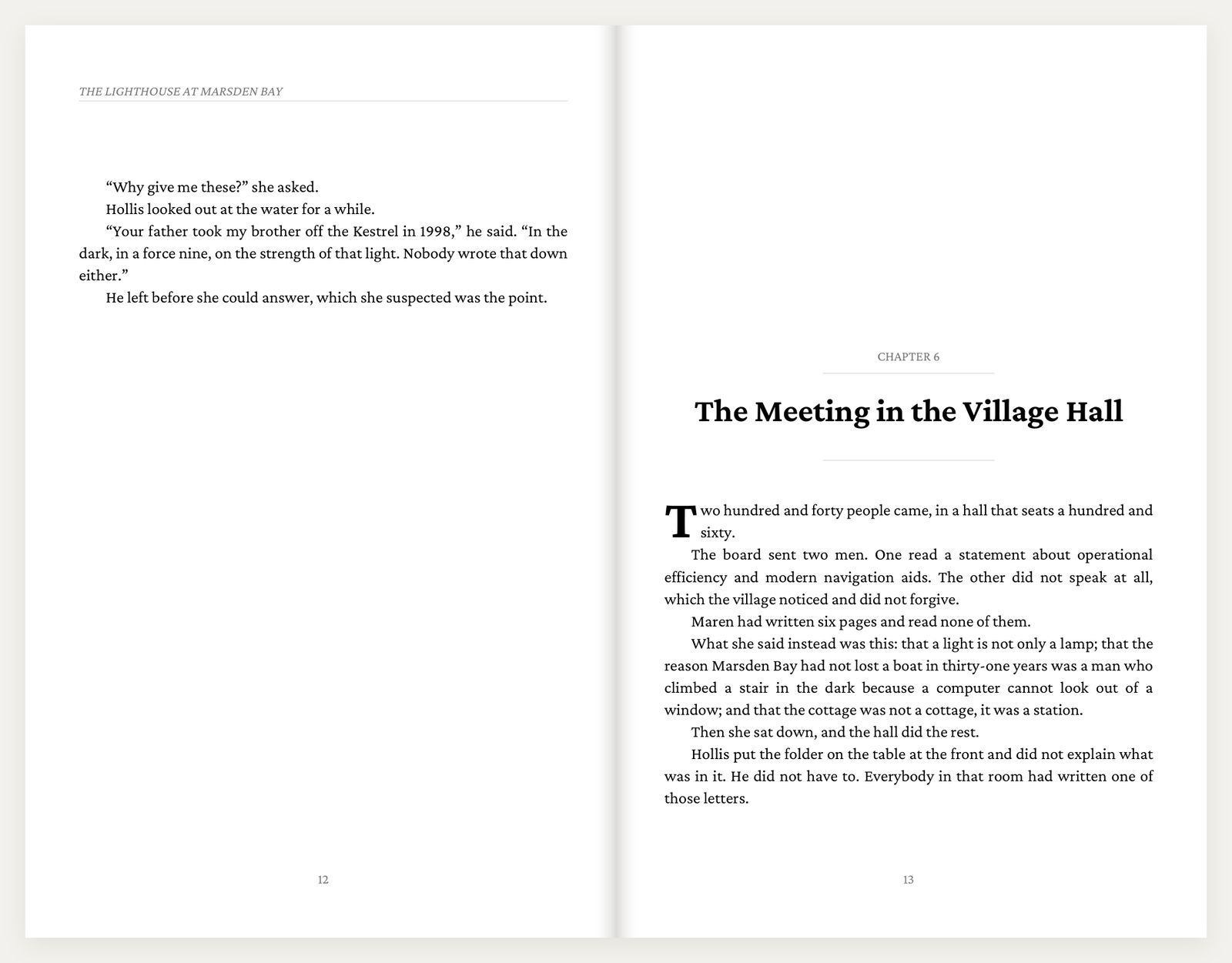
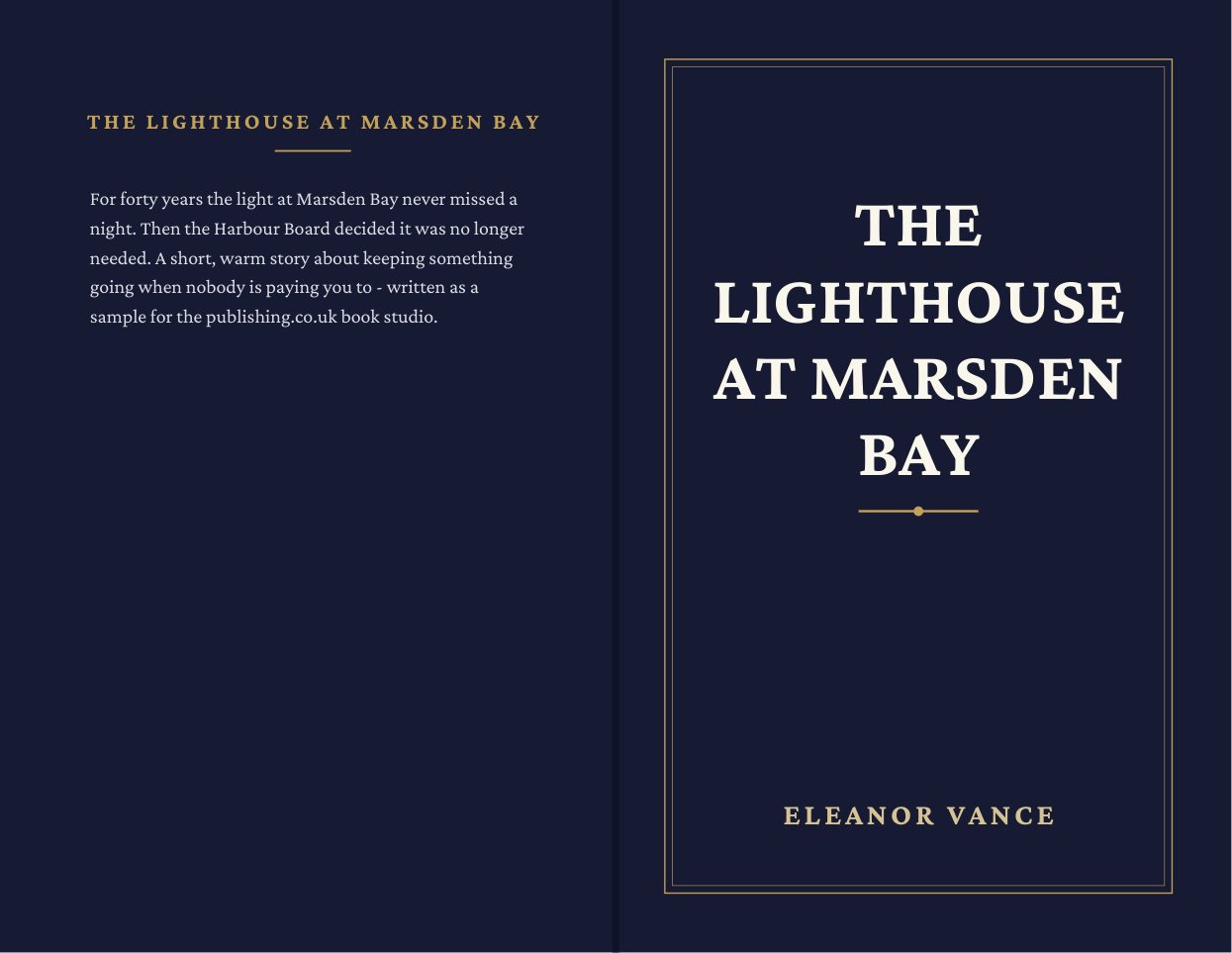
This is our sample book, The Lighthouse at Marsden Bay, exactly as the studio made it. It’s the same file Amazon would print from.
 Running head
Chapter opening
Large first letter
Page numbers
Curly quotes
Set for you: running head, curly quotes, chapter opening, large first letter and page numbers.
Checked before you pay
Amazon checks your book after you upload it. We check it before you pay.
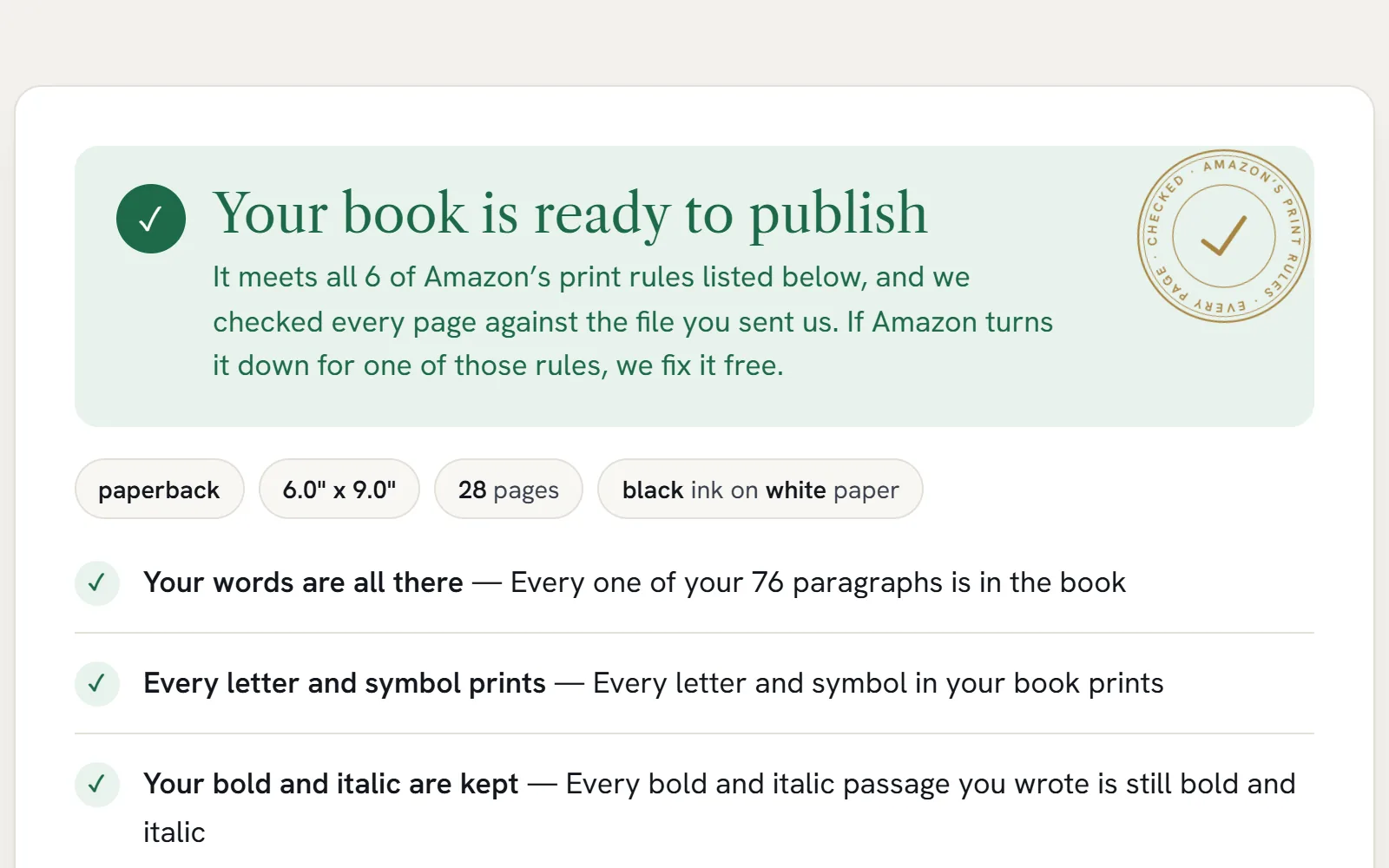
The studio reads your finished book back and compares it with your Word file, word for word. Then it measures every page against Amazon’s print rules, with a safety margin on top.
If anything needs you, you get the answer in plain English with the page to look at. A lost paragraph, a dropped italic or a margin Amazon would reject is found now, not after you press publish.
Distance from the spine edge →
Amazon needs 0.375″Ours 0.447″
The Lighthouse at Marsden Bay28 pages · the studio’s real report
- Your words are all thereEvery one of your 76 paragraphs is in the book
- Every letter and symbol printsTicks, bullets, arrows and emoji included
- Your bold and italic are keptEvery bold and italic passage you wrote is still bold and italic
- Nothing is printed twiceNo sentence appears more often than you wrote it
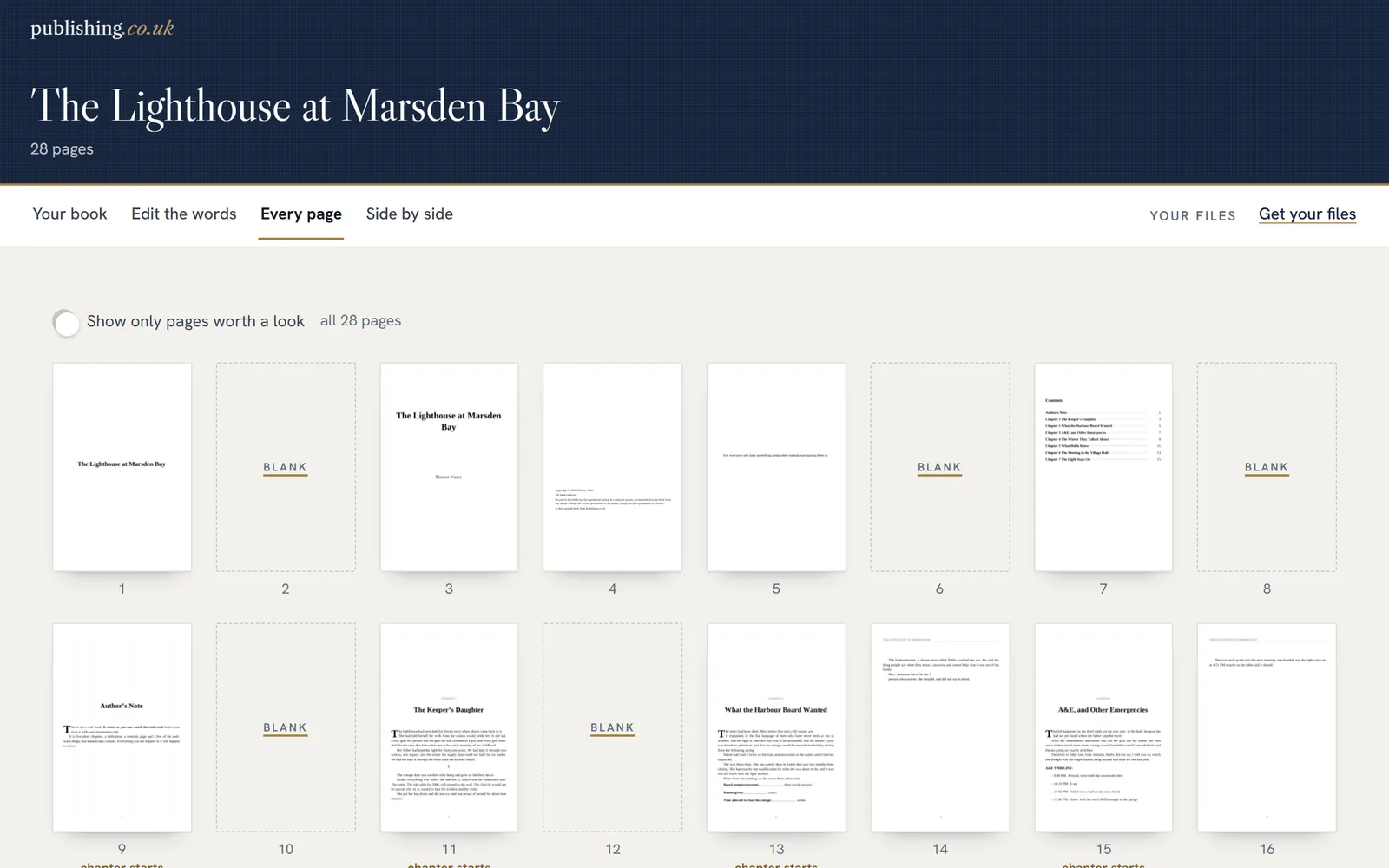
- The book is put together rightChapters, blank pages and contents all line up
- Amazon’s margin rulesAmazon needs 0.375″ at the spine; the closest word is 0.447″ away
- Amazon’s cover rulesSize, spine width and barcode space all correct
Your book gets the same report, free, before you pay anything.
Everything Amazon asks for
Four files. One price. Nothing to learn.
Paperback interior
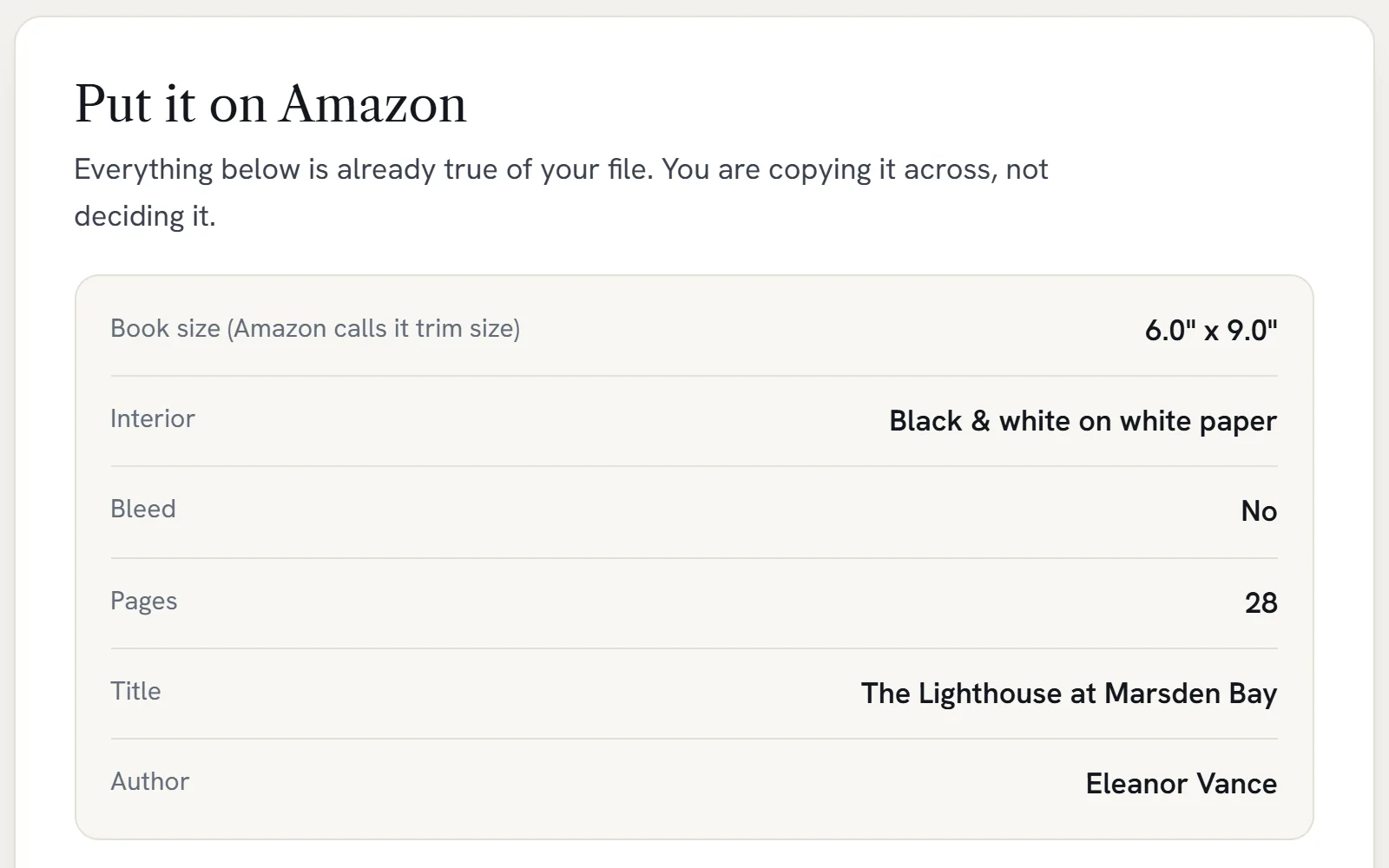
Print-ready for Amazon KDP in any of Amazon’s 16 sizes, from 5 × 8 inches to A4. Margins are measured on every page and the fonts are built in.
Kindle ebook
A contents list readers can tap, and every chapter starts on a fresh screen.
Paperback cover
Back, spine and front in one file. The spine is sized to your page count and the barcode space is left clear.
Kindle cover
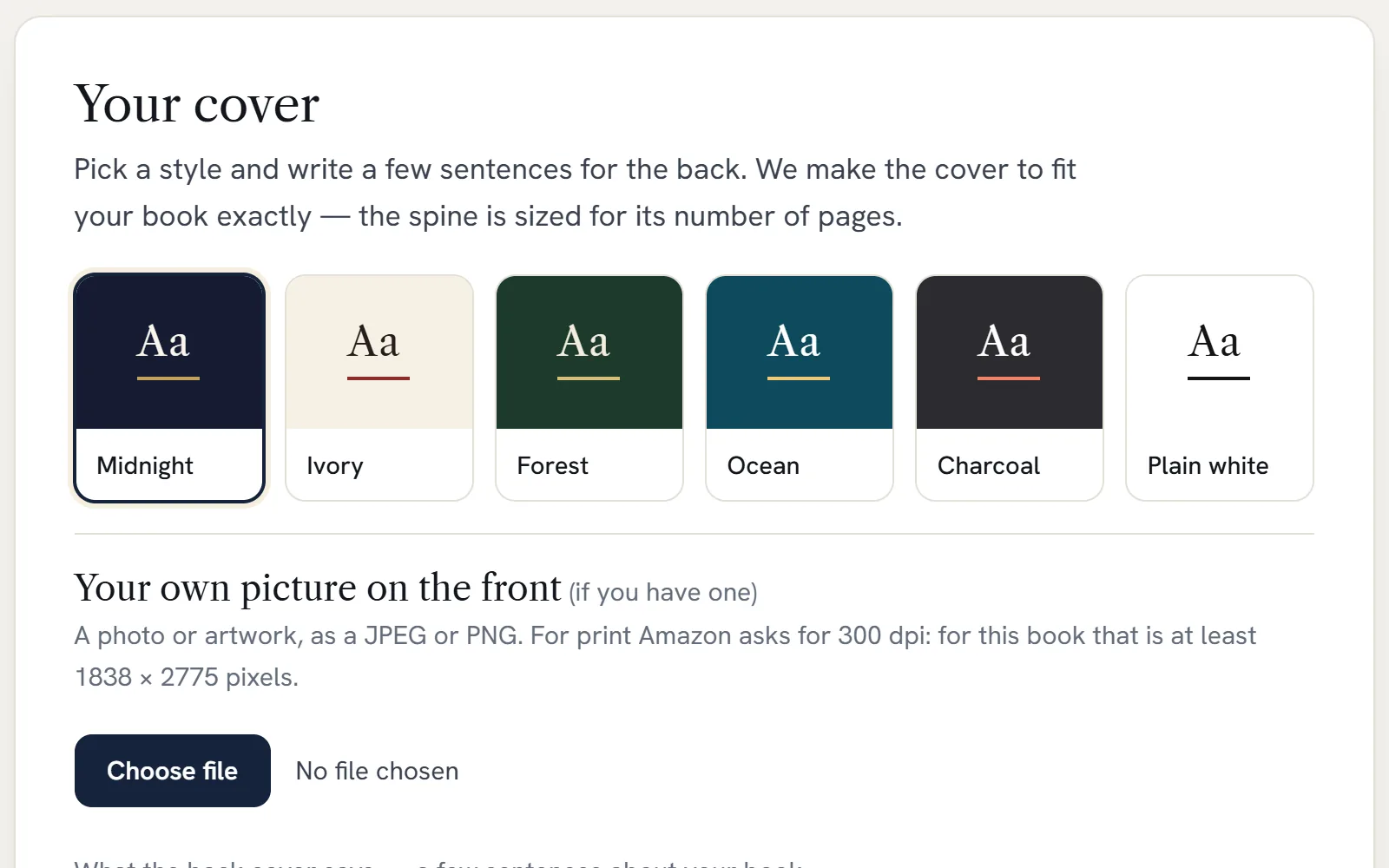
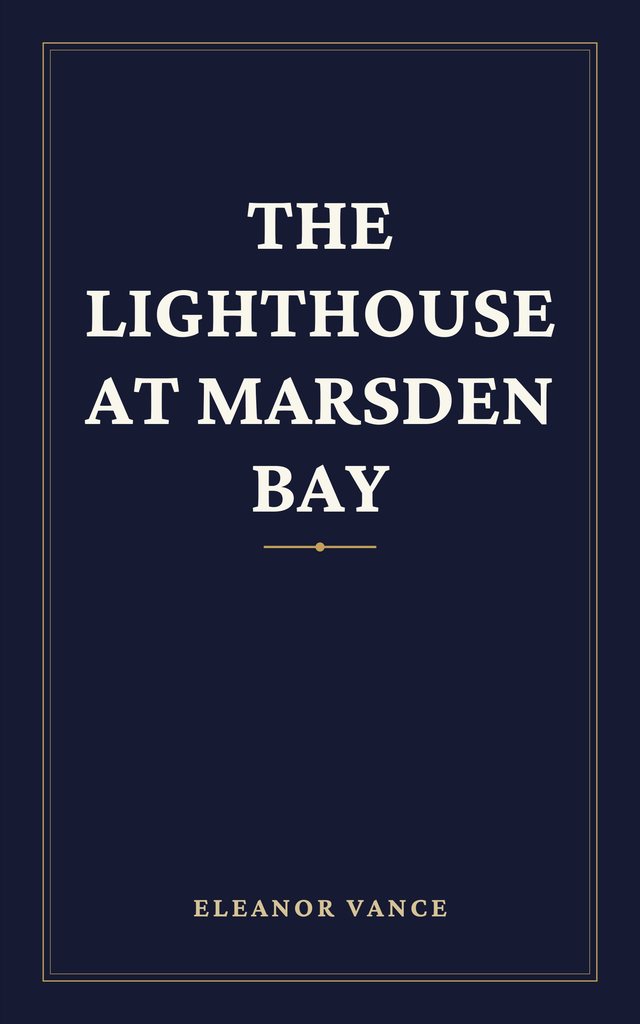
1,600 × 2,560 pixels, the shape Amazon asks for. Use one of our six designs, put your own photo behind your title, or bring the front your designer made.
Six looks, one click each
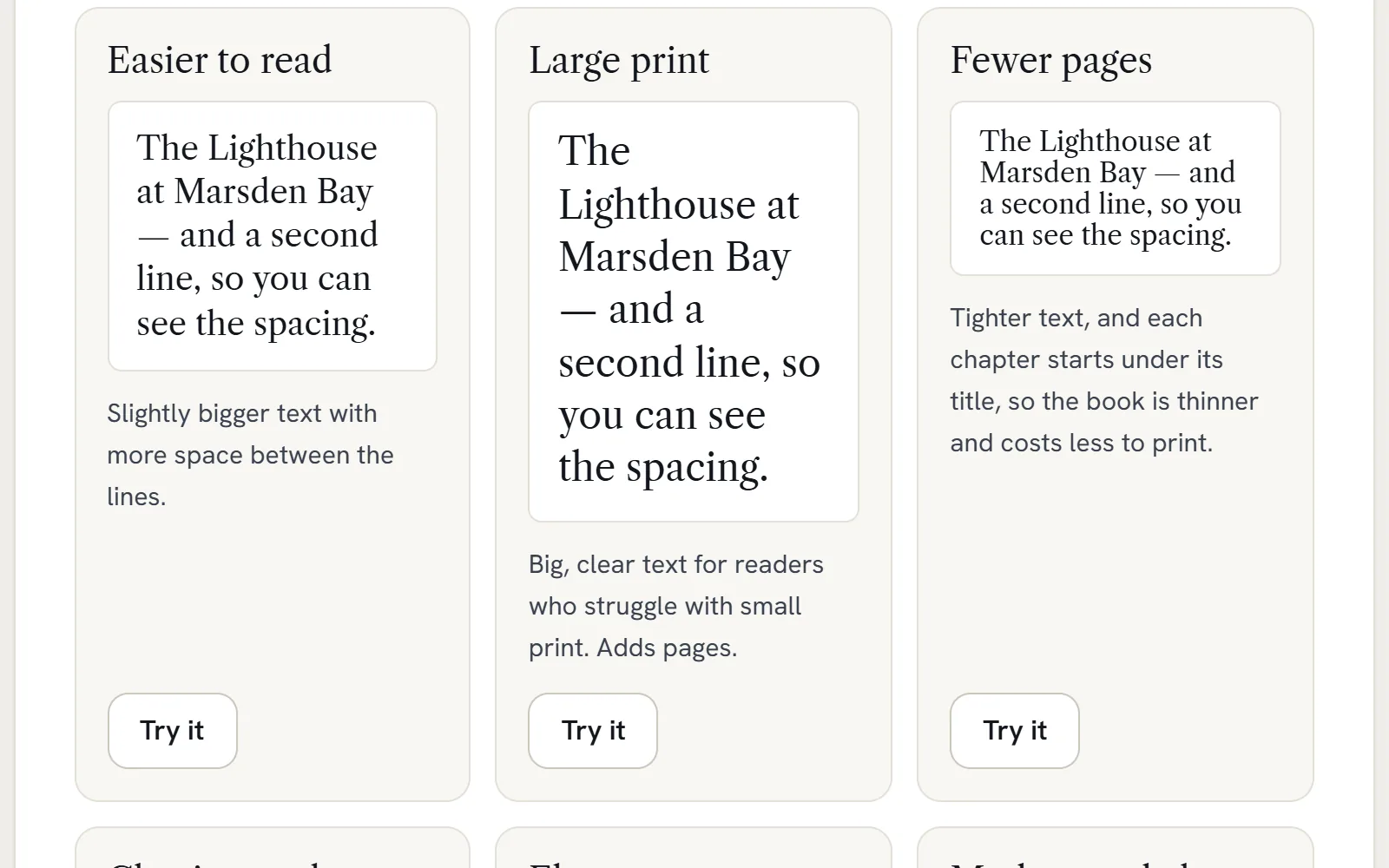
Classic novel, Elegant, Modern and clean, Easier to read, Large print, or Fewer pages to keep printing costs down.
Nineteen fonts, or your own
Garamond, Baskerville, Caslon, Palatino, Georgia and fourteen more, each with a real bold and italic. Or upload the font your Word file uses.
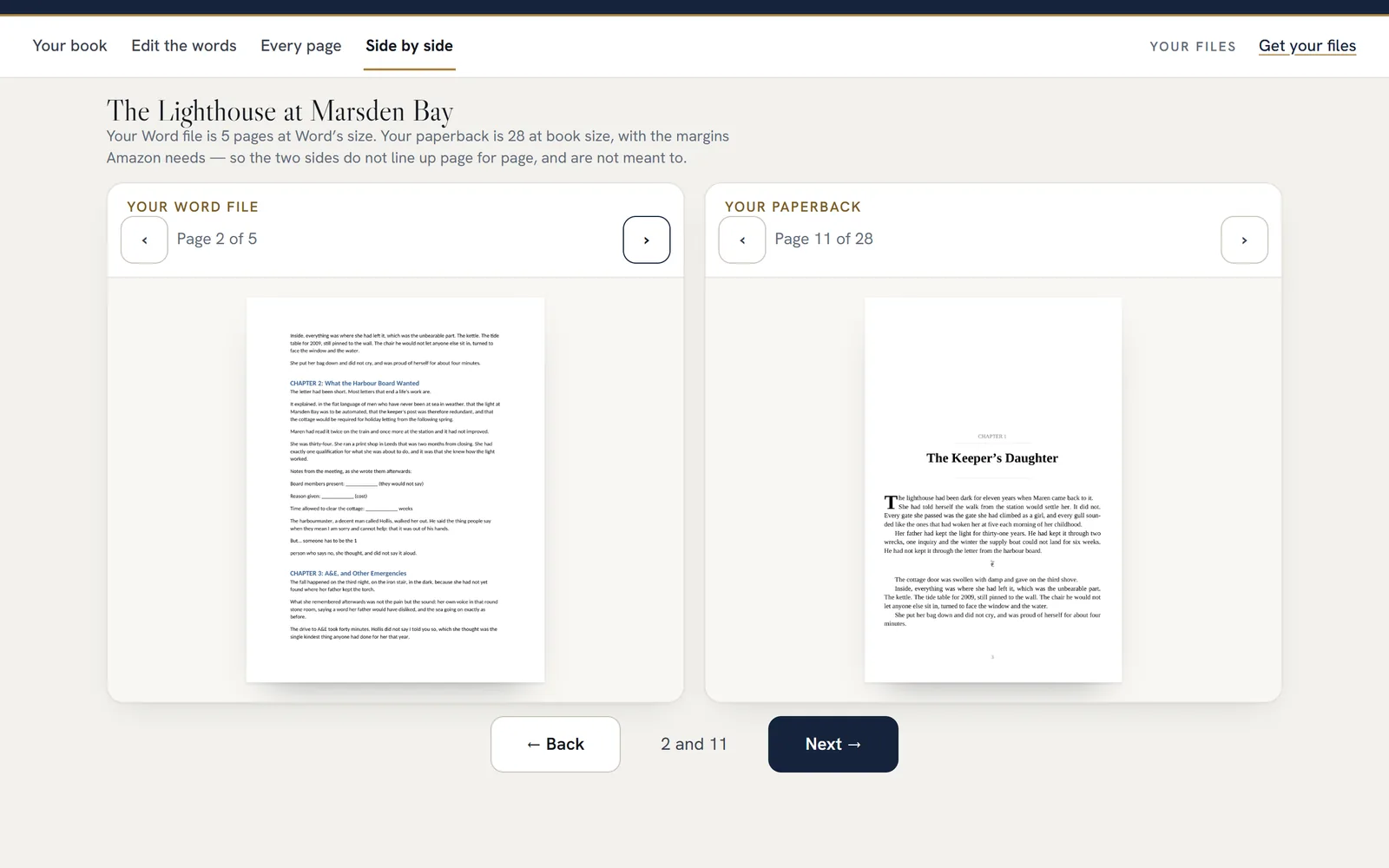
Side by side
Your Word file next to your paperback, so you can see what changed on every page.
Every version kept
Go back to any earlier version of your book, and forward again, as often as you like.
Word’s habits, put right
Straight quotes and other things Word leaves behind are fixed for you. The studio counts each one in your file and checks it’s gone from the book.
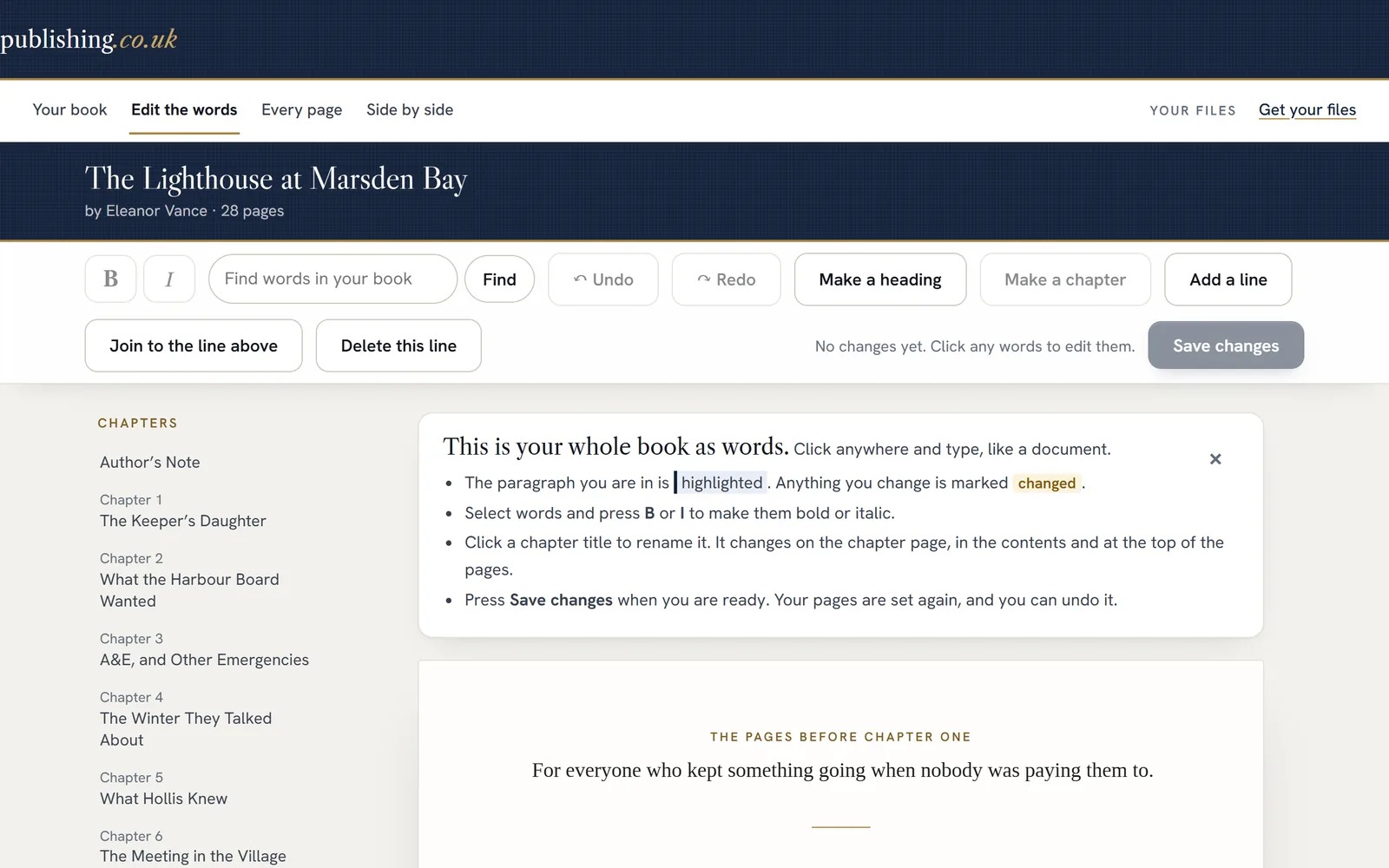
Fix a word on the page
Spot a typo on page 212? Change it right there and the studio sets the pages again.
Footnotes and tables
Note numbers land in the right sentence. A long table carries on over the page.
Poems and workbooks
Your line breaks stay where you put them. Ticks, boxes and Word’s bullets all print.
Our promise
Two guarantees. No small print.
Amazon-ready, or your money back
If Amazon KDP turns down your paperback, Kindle or cover file for a formatting reason, forward us Amazon’s message. We’ll fix it free. If we can’t, you get every penny back.
30-day money-back guarantee
Not happy, for any reason? Email hello@publishing.co.uk within 30 days of paying and we’ll refund you in full. No forms, no arguments.
How it compares
Pay for the book you’re publishing, not for software.
If you’ll publish a dozen books, a formatting program can work out cheaper over time. For one book, or the next one, the studio is quicker to learn and makes your covers too.
| The book studio | Atticus | Vellum | Kindle Create | Reedsy Studio | |
|---|---|---|---|---|---|
| What it costs | £29.99 per book, VAT included | About £111, one-off ($147) | About £189, one-off ($249.99); about £151 for ebooks only | Free | Free (paid extras from about £4 a month) |
| Works on | Any web browser | Windows, Mac, Linux, Chromebook | Mac only (macOS 13 or newer) | A desktop app | Any web browser |
| Makes your paperback and Kindle covers | Yes | No, bring your own | No, bring your own | No, bring your own | No, bring your own |
| Our honest view: best if you… | have a book ready and want it on Amazon this week | will write and publish many books | are on a Mac and publishing a series | want a free Kindle ebook | want to write and format in one free app |
Prices and platforms from each maker’s own website, checked on 24 September 2026. Atticus, Vellum and Reedsy charge in US dollars. We converted them at the European Central Bank’s rate that day ($1 = £0.756), before any UK VAT. Kindle Create is Amazon’s own free app.
The cheaper tools
Why £29.99, when some tools cost a few dollars?
They’re real options, and for some books they’re enough. The difference is what you get for the money, and whether anyone checks that your book came through intact.
| The book studio | typesetting.ai | ebookDONE | PaperbackKit | |
|---|---|---|---|---|
| What it costs | £29.99 per book, VAT included | About £4 a book ($5), or about £9 a month ($12) | About £7 a book ($9); about £14 for a full-length novel ($19) | About £14 a book ($19) |
| What you get | A paperback file in any of Amazon’s 16 sizes, the Kindle ebook, the paperback and Kindle covers, and a hardcover cover | Your formatted book file: print PDF or Kindle ebook | A 6×9 paperback file, a cover, the Kindle ebook and Amazon listing text | A 6×9 paperback file and an accessibility-ready ebook |
| Makes your covers | Yes | No, bring your own | Yes | Not on its website |
| Checks the finished book against your own file | Yes: every word, bold and italic | Shows a report of what it changed | Not on its website | Not on its website |
| Our honest view: best if you… | want the whole book, covers included, checked word for word, in the size you chose | want the cheapest formatting and have your own cover | want a quick 6×9 paperback with a cover at the lowest price | want a 6×9 paperback and an accessible ebook, and have a cover |
From each maker’s own website, checked on 29 September 2026. All three charge in US dollars; we converted at the same rate as above ($1 = £0.756) and rounded, before any UK VAT. “Not on its website” means we couldn’t find it there, not that it can’t be done.
One price
£29.99
per book, UK VAT included · one payment, no subscription
- Print-ready paperback PDF, in any of 16 Amazon sizes
- Kindle ebook
- Paperback and Kindle covers, and a hardcover cover when your book can be a hardcover
- Every check, in plain English
- Change your book and download again, as often as you like
- Amazon-ready or your money back, plus 30 days to change your mind
Upload, look through every page and make changes for free. The price you see is what you pay: UK VAT is included.
Rather we did it for you?
Our formatting team sets your book by hand and sends it back in 24 hours, from £69. It’s the right choice for picture books, cookbooks and complex layouts.
Made for books that are mostly words
- Novels and short stories
- Memoirs and life stories
- Non-fiction with footnotes, tables and pictures
- Workbooks and guides with checklists
- Poetry, with your line breaks kept
Not yet: picture books and full-colour layouts, or Chinese, Arabic, Hindi and Hebrew text. The formatting service can help with these.
Questions
Before you start.
Which files can I upload?
Word (.docx or .doc), OpenDocument (.odt), rich text (.rtf) or plain text (.txt). The file you wrote your book in is fine. There’s nothing to prepare.
How long does it take?
A few minutes for most books. You watch each step as it happens.
Will Amazon accept it?
We measure every page against Amazon’s published margin rules, with a safety margin on top, and check your cover against Amazon’s cover rules. If anything doesn’t pass, you see it, with the page, before you pay. If Amazon still turns a file down for a formatting reason, the Amazon-ready guarantee covers you.
What does the Amazon-ready guarantee cover?
Formatting reasons: margins, trim size, fonts, page count, and the cover’s size, spine or barcode space. It doesn’t cover Amazon’s content rules, such as rights to pictures or text you don’t own, because those are about the book itself, not how it’s set.
How do I get my money back?
Email hello@publishing.co.uk from the address you signed up with, within 30 days of paying. We refund the full amount to the card you paid with.
Can I see it all before I pay?
Yes: every page, the cover and every check. You only pay to download the files.
What if I change my book after paying?
Change it and download it again, as often as you like, at no extra charge.
Is my book private?
Your books are tied to your email address, and only you can open them. We never publish or share them. If you ask us for help, our team can look.
Does the price include VAT?
Yes. The price on this page is what a UK author pays at the checkout, VAT included. Nothing is added when you type your address.
Who makes this?
publishing.co.uk, a UK company that has formatted books for authors since 2018. The studio runs on the same book engine as our done-for-you formatting service.
Your book, ready for Amazon, this afternoon.
Upload it free and look through every page. Pay £29.99 only if you want the files, and you’re covered by both guarantees.